A practical guide to choosing commercial phone and tablet charging stations for schools, offices, healthcare facilities and public venues in South Africa.
Quick answer: Can one station charge phones and tablets?
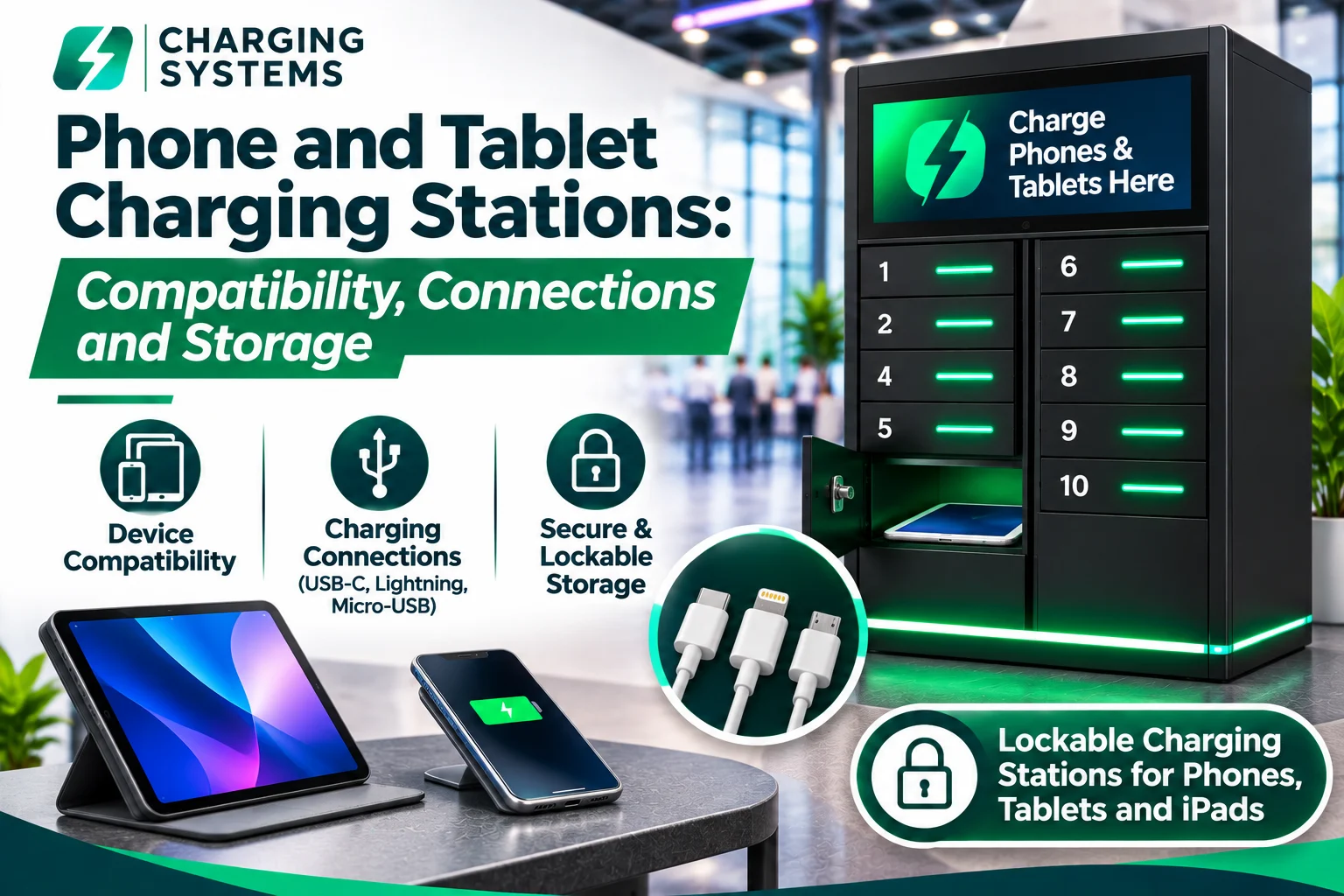
Yes—some commercial stations support both smartphones and tablets, but not every phone charging station has compartments large enough for an iPad or the right connections and power output for larger devices. A suitable phone and tablet charging station must match the physical device dimensions, connector type, power requirement and storage or locking needs of the people using it.
For a public venue, compact phone lockers might be enough. For an education or healthcare device fleet, larger lockable compartments and a controlled access process may be more important. Charging Systems offers both phone-oriented lockers and selected mixed-device and tablet-focused models; the exact configuration is confirmed before quotation. Explore the locker range.
Important buying distinction
A station advertised as “USB-C compatible” is not automatically suitable for every USB-C tablet or laptop. The port shape, supported charging protocol, wattage and compartment dimensions must all be checked.
1. Device compatibility: Start with the actual devices
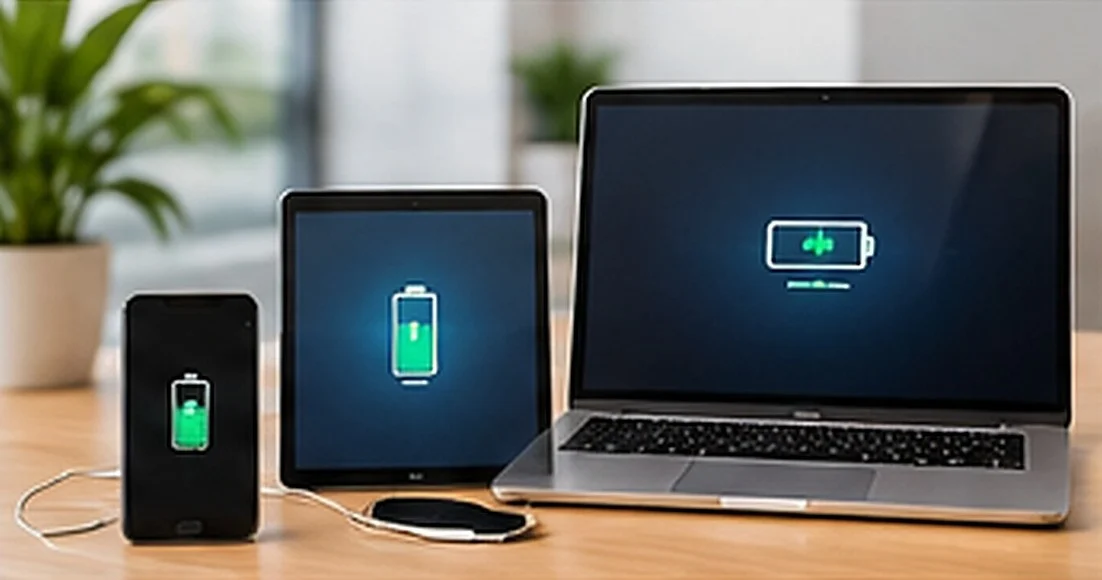
The first question is not “How many ports do we need?” but “Which devices will users place in the station?” Different device types impose different physical, electrical and operating requirements.
| Device class | What to check | Typical selection direction |
|---|---|---|
| Smartphones | Connector generation, protective case, number of users and whether devices must be locked away | Phone charging locker or supervised open charging point |
| Tablets and iPads | Screen/device size, case thickness, cable access, device orientation and charging wattage | Tablet-specific or mixed-device compartment |
| Laptops and notebooks | Power-delivery requirement, adaptor/AC access and significantly larger dimensions | Purpose-built laptop or mixed-device charging locker |
| Mixed organisation fleet | A list of exact models, connector types and simultaneous peak demand | Verify a shared mixed-device configuration, not just a phone-only cabinet |
For example, an 8-bay phone locker and an 8-bay tablet locker both provide eight compartments, but the bay dimensions and device support may be entirely different. Check how many charging points are available and which device each point can accommodate.
What “compatible” really means
A suitable device must physically fit, reach the connection safely, accept the charging method and charge at an appropriate supported rate. Avoid treating “fits in the bay” and “charges properly” as the same test.
2. USB-C, Lightning, Micro-USB and power delivery explained
A commercial cell phone tablet charging station may need to serve several device generations. Connector labels can be useful, but they are only the beginning of a reliable compatibility check.
Modern devices
USB-C
Common on many modern phones, tablets and some laptops. Charging speed depends on the station’s output, supported power profile, cable and device.
Selected Apple devices
Lightning
Relevant for older Apple iPhones and a number of earlier iPad models. Do not assume current iPads use this connector.
Legacy devices
Micro-USB
May still matter for older Android phones and some legacy electronics, but is not a substitute for modern USB-C support.
Why USB-C Power Delivery matters
USB-C describes a connector; USB Power Delivery (USB-PD) is a charging protocol that can negotiate supported power levels. A low-power smartphone outlet and a USB-C PD connection intended for higher-power devices should not be treated as equivalent. Ask for the supported per-bay output and the device classes supported by the exact unit.
As a real product example, the 10-Bay Laptop Charging Locker with 21.5-Inch Digital Display lists USB-C PD 65W and a universal AC outlet per bay for compatible laptops, tablets and phones. That specification belongs to this particular product, not every charging locker in the range.
- List the exact phone and tablet models or at least their connector families.
- Ask whether cables are built in, replaceable or supplied separately.
- Confirm USB-C PD output where higher-power tablets or laptops are required.
- Check whether users bring their own adaptors or whether a compatible cable/outlet is provided.
- Ask what happens when multiple bays charge devices at the same time.
Do not promise universal compatibility
Charging Systems explicitly notes that charging performance depends on the station configuration, the device, connection and charging protocol. A pre-quotation device list is more useful than a generic “works with everything” claim.
3. Lockable storage: When device security changes the choice
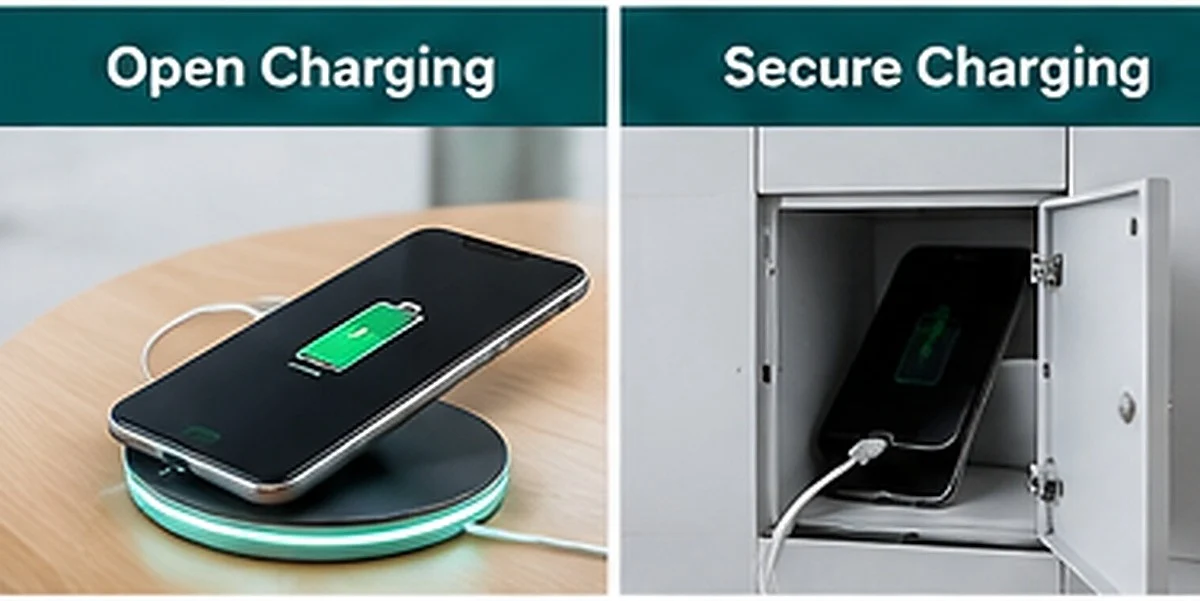
For a shared workplace, hospital or school, the purchase decision often concerns storage as much as power. A lockable charging station for tablets and phones provides individual compartments so users can leave devices charging and return later. Whether that approach is appropriate depends on the environment, operating process and supported access system.
| Feature | Open charging area | Lockable charging lockers |
|---|---|---|
| User behaviour | Users generally remain near devices or rely on a monitored space | Devices can be stored in individual compartments for later collection |
| Physical security | No dedicated locking compartment unless separately provided | Access can be controlled with PIN or touchscreen systems on selected models |
| Device mix | Depends on cables, shelf space and output | Depends on bay dimensions, connectors and model configuration |
| Operations | Consider supervision, cable wear and user access | Consider lost PINs, occupancy rules and emergency access procedures |
| Best fit | Lounges, waiting areas and supervised workstations | Shared devices, public venues and users who need hands-free time |
What about PIN codes, touchscreens and managed access?
Charging Systems lists PIN-code and touchscreen access options on selected products, and additional managed features on applicable configurations. Ask how a user starts a session, locks the compartment, retrieves the device, and receives assistance if access fails. No locking system removes every security risk, so procedures and placement still matter.
Check the compartment, not only the screen size
A “tablet locker” must accommodate the actual width, height and thickness of the device, including a protective case or hand strap. Allow space for the charging plug, cable bend and ventilation specified by the equipment manufacturer. A tablet with a bulky classroom case may not fit the same compartment as an uncovered tablet of the same nominal screen size.
For iPads, model generations and dimensions vary. For any cell phone and iPad charging station, provide the iPad model and case details before requesting a quotation.
4. Calculate charging capacity and storage requirements
Capacity has two parts: the number of devices that can charge at the same time, and how many users can be served over a day. A 10-bay locker has ten compartments, but it does not mean it can charge every device type or that ten empty bays will always be available when a queue forms.
Demand
Peak simultaneous demand
Estimate how many devices will need charging during the busiest 30–60 minutes, not just the total daily visitors.
Turnover
Storage duration
Consider whether devices remain in a bay for 20 minutes, a class, a shift or several hours.
Buffer
Reserve capacity
Allow a reasonable margin for busy periods, delayed collections and device-mix uncertainty.
Illustrative example: a training centre has 24 shared tablets, but only 10 need charging at any one time. A 10-bay unit may be worth evaluating if the devices fit, the output is suitable and operations permit rotating devices. This is a planning example, not a guarantee that a specific 10-bay model will suit that fleet.
If charging needs span different floors or buildings, multiple smaller units may be more useful than one large central cabinet. Confirm the placement, power, accessibility and security requirements for each site.
Sizing question to put in your enquiry
“At peak times we need to charge approximately [number] devices simultaneously, comprising [device models]. Charging sessions typically last [duration], and the unit will be installed at [site].”
Need help choosing?
Need lockers for phones, iPads and tablets?
Share your device list, expected usage and venue. Charging Systems can help compare dedicated tablet and mixed-device configurations before preparing a quotation.
Request a Product Recommendation5. Relevant Charging Systems product examples
These published products illustrate why selecting by device type is more reliable than selecting by bay count alone. Links lead to the current product information; specifications, exact configuration and availability should be reconfirmed when requesting a quote.
Tablet / iPad focus
8-Bay UV-C Tablet & iPad Charging Locker
Dedicated larger tablet compartments, PIN access and an integrated 14-inch display. The published page describes compatibility up to approximately 11-inch iPad Pro size. Verify the actual model and its protective case.
Mixed devices
10-Bay Laptop Charging Locker with 21.5-Inch Display
Mixed-device example with ten compartments for compatible phones, tablets and laptops; the product page specifies USB-C PD 65W and universal AC outlets.
Larger device fleet
16-Bay Secure Laptop Charging Locker
Larger-device fleet option with individual compartments, USB-C PD and AC outlets on its published configuration. Relevant when a project includes more than phones and tablets.
For phone-only deployments, the 8-Bay PIN Code Mobile Phone Charging Locker offers a different selection direction. If high-volume phone charging and signage are the main needs, consider the 16-Bay Touchscreen Charging Locker with 15.6-Inch Display. Do not assume either phone-oriented product has tablet-sized compartments.
Explore the full Charging Systems product catalogue or compare secure devices using the Phone Charging Lockers category.
Product-specific features stay product-specific
Digital displays, UV-C modules, higher-power USB-C PD, universal AC outlets, camera features and remote management belong to particular configurations. They must not be described as universal across the range.
6. How to choose by venue and workflow
Education
Schools & universities
Consider classroom tablet cases, device checkout, end-of-day storage, access rules and whether one bay is assigned per device.
Healthcare
Healthcare facilities
Consider shared clinical or guest-service tablets, controlled access, charging compatibility and workplace hygiene procedures.
Workplace
Offices & training centres
Mixed phones, iPads and laptops may need a bigger-bay solution and higher-power connections.
Hospitality / public
Hotels & public venues
Consider public self-service access, signage, customer flow, device security and who assists with retrieval issues.
For events and temporary use, ask whether a suitable configuration is available for rental, rather than assuming every model is rentable. See Charging Station Rental for the event-specific enquiry journey.
Simple choice framework
- Mostly smartphones? Start with phone charging locker capacities and connector availability.
- Mostly tablets or iPads? Start with larger compartment measurements and device charging outputs.
- Phones, tablets and laptops together? Evaluate a verified mixed-device cabinet with suitable USB-C PD or AC options.
- Users need to leave devices unattended? Compare dedicated lockable models and the site’s access procedure.
- Need branding or a screen? Choose a model that specifically offers the required display or customisation.
7. Buyer checklist: What to send before asking for a quote
A detailed request helps Charging Systems identify relevant products sooner. You do not need to select a model first; describing the actual devices and venue is a better starting point.
- Device inventory: phone brands/models, tablet/iPad models and whether laptops are included.
- Device cases: bulky cases, keyboard attachments, hand straps and charging ports.
- Connections: USB-C, Lightning, Micro-USB, suitable adaptors and required USB-PD power.
- Simultaneous capacity: busiest-period charging need and typical charging duration.
- Storage/security: lockable compartments, PIN/touchscreen operation or managed access.
- Location: city, indoor/outdoor conditions, available mains power and floor or wall space.
- Installation and operations: access, supervision, cable maintenance and any site requirements.
- Optional extras: branding, digital signage or product-specific sanitising features.
- Commercial information: quantity, project timing and whether you are enquiring about purchase or suitable rental options.
Suggested enquiry wording: “We need a lockable phone and tablet charging station for [venue, city]. It must accommodate [device models and case sizes], charge approximately [quantity] devices simultaneously and support [connector types]. Please recommend appropriate configurations and provide a quotation.”
Need help choosing?
Send your phone and tablet charging requirements
There are no universal published prices for these configurations. Share your device types, quantity, location and timing to receive a relevant recommendation and project-specific quotation.
Request a Charging Station Quote8. Frequently asked questions
These answers cover common buyer questions. Always confirm the final product specification before purchase or rental.
Can one charging station charge cell phones and iPads?
Yes, on a suitable configuration. Confirm the physical bay dimensions, connector family and supported power for the specific phone and iPad models before ordering.
What is the difference between a phone locker and a tablet locker?
A tablet locker generally needs larger device compartments. Access methods, charging outputs and other capabilities vary, so compare published model specifications rather than capacity labels alone.
Does USB-C automatically mean fast tablet charging?
No. USB-C is a connector type. The station, cable and tablet must support an appropriate charging protocol and power level. Check the model’s per-bay output and USB Power Delivery support where needed.
Are lockable charging stations available for tablets and phones?
Yes, Charging Systems publishes phone-oriented, tablet-focused and selected mixed-device charging lockers. Confirm exactly which models fit your device fleet and preferred access method.
Will a tablet fit with a protective case or keyboard attached?
Not necessarily. Supply the dimensions including the case or keyboard and allow for charging cable clearance. A tablet screen size alone is not enough to verify fit.
How many devices can charge at once?
That depends on the number of appropriate charging bays or ports and the electrical configuration. Count compatible simultaneous connections, not simply the number of compartments advertised.
Are USB-C PD and universal AC outlets available?
Yes, on selected larger-device models, including the published 10-Bay Laptop Charging Locker with 21.5-Inch Digital Display. Other models may differ.
Do you publish prices for phone and tablet charging stations?
Charging Systems prepares quotations according to the product, configuration, quantity, location and project requirements. Request a quote for current specifications, availability and pricing.
How to verify product details before procurement
The guidance above is based on the published Charging Systems product and category information, together with practical procurement considerations. It is not a first-hand product test or an independent performance certification. Technical specifications, connector options and available upgrades must be confirmed against the current configuration and supplier quotation.
- Charging Systems: Phone Charging Lockers range — phone, tablet and mixed-device formats.
- Charging Systems: 8-Bay UV-C Tablet & iPad Charging Locker — tablet compartment and display information.
- Charging Systems: 10-Bay Laptop Charging Locker with 21.5-Inch Display — mixed-device USB-C PD and AC specifications.
- Charging Systems: Product specifications and compatibility disclaimer — limits on performance and security claims.
Before publishing: strengthen trust with real evidence
If available, add a real installation photograph, a model-specific specification sheet and the name of the knowledgeable team member who reviewed the technical details. Do not invent case studies, customer testimonials or verified performance claims.
Charging Systems · South Africa
Find the right charging station for your devices
Tell us which phones, tablets or iPads you need to charge, where the station will be installed and whether devices need lockable storage. We’ll help narrow down suitable options for quotation.